Use High-Quality Cables for Optimal Performance and Safety

Use High-Quality Cables for Optimal Performance and Safety

Apple’s prices for Thunderbolt, USB-C, and Lightning cables often seem unnecessarily high. $69 for a Thunderbolt 4 cable or $19 for a simple USB-C to Lightning cable? Unfortunately, when it comes to cables, you often get what you pay for. Happily, other reputable hardware manufacturers like Anker, Belkin, and OWC sell quality cables for less than Apple. When possible, get …

Apple Explains Its Approach to Device Longevity

Apple Explains Its Approach to Device Longevity

We Apple users tend to believe that our devices usually last longer—both physically and functionally—than Windows PCs and Android smartphones. For instance, Apple’s current operating systems work on nearly all Macs, iPhones, and iPads introduced in 2018 and later, albeit with some feature loss on the oldest devices. In a white paper entitled “Longevity, by Design,” Apple has now outlined …

Insert Emoji More Easily with Text Replacements

Insert Emoji More Easily with Text Replacements

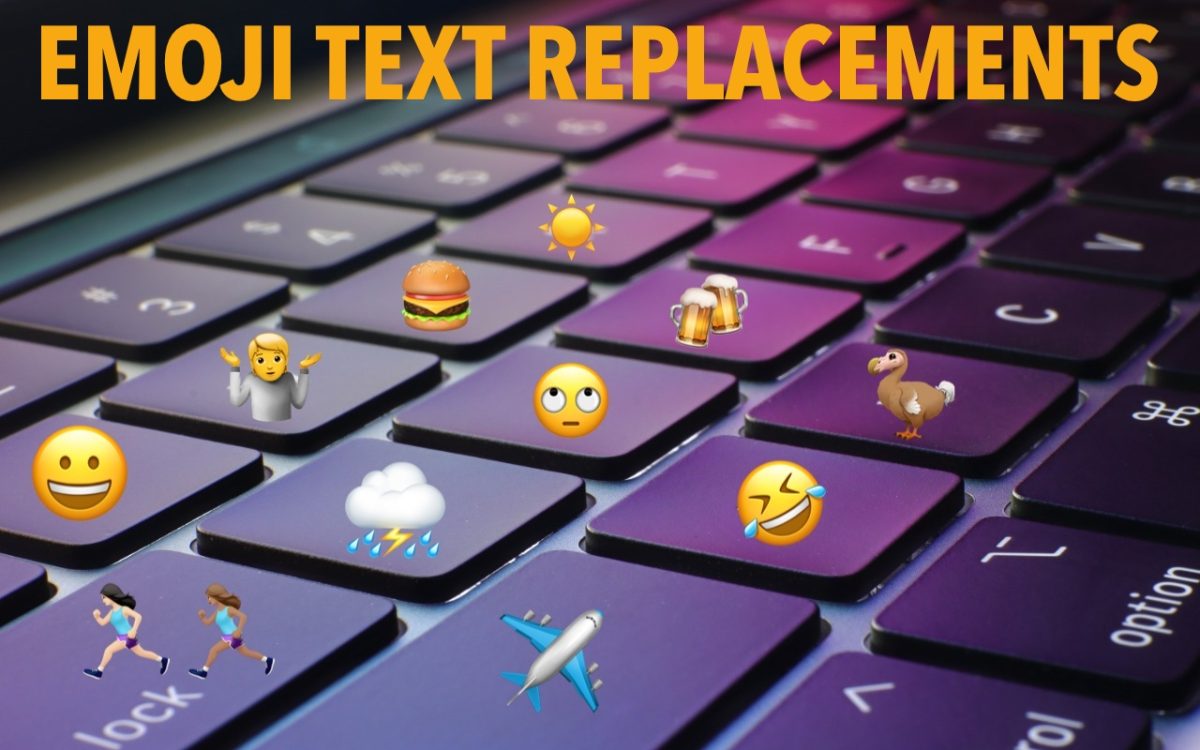
For many of us, emoji are fun, but we don’t want to choose Edit > Emoji & Symbols whenever we want to insert one. A faster, better technique is to set up text replacements for emoji you insert often. Open System Settings > Keyboard > Text Replacements, click the + button at the bottom, and enter the “trigger” text you …

How to Copy an App Icon on the Mac

How to Copy an App Icon on the Mac

Let’s say you’re writing documentation to help colleagues use Preview to edit images, sign PDFs, and convert graphics. (A worthy task for which they will thank you!) For this documentation, you want to include the Preview app’s icon so they know what to look for in the Applications folder and Dock. To copy a high-resolution version of any app icon …

Remember the Magnifier App When You Need to Read Tiny Text

Remember the Magnifier App When You Need to Read Tiny Text

Trying to make out a tiny serial number or some fine print you can barely read can be frustrating. Years ago, Apple added a magnifier mode to its accessibility options and turned the feature into a standalone app in iOS 14. You can find the Magnifier app in the Utilities folder in your App Library (swipe left on the Home …

Choosing the Best Mac for a College-Bound Student in 2024

Choosing the Best Mac for a College-Bound Student in 2024

Is your child heading off to college soon? They’ve undoubtedly been using a computer throughout high school, though now is a good time to look at getting them a new one, especially if theirs is old or unreliable, is shared with other family members, or was a school loaner. If you haven’t been keeping up with Apple’s Mac lineup, you …

Prep Your Tech for Travel

Prep Your Tech for Travel

Long ago, to get ready for a trip, we’d mostly make sure we had our plane tickets, books and magazines to read, and a snack. Prepping for travel in today’s tech-heavy world comes with a new set of tasks, most of which shouldn’t be left to the last minute. Identify Devices, Chargers, and Cables to Bring Resist the temptation to …

Two Techniques for Improving Google Chrome Security

Two Techniques for Improving Google Chrome Security

Although most Mac users rely on Apple’s Safari for Web browsing, plenty of people prefer Google Chrome for its cross-platform compatibility, massive collection of extensions, and tight integration with the Google ecosystem. Chrome is by far the most popular browser in the world, with about 65% of the market, compared to Safari’s 18%. Still others opt for alternative browsers based …

It’s Usually OK to Share Full-Size Images in Email and Messages

It’s Usually OK to Share Full-Size Images in Email and Messages

In the early days of the Internet, when most people connected via slow modems, saving bandwidth was a big deal. You could watch images load on Web pages, and you’d have to wait to download a large email attachment before the rest of your email would appear. For most people, in most situations, bandwidth isn’t nearly as big of a …

At WWDC, Apple Unveils Apple Intelligence and Previews New OS Features

At WWDC, Apple Unveils Apple Intelligence and Previews New OS Features

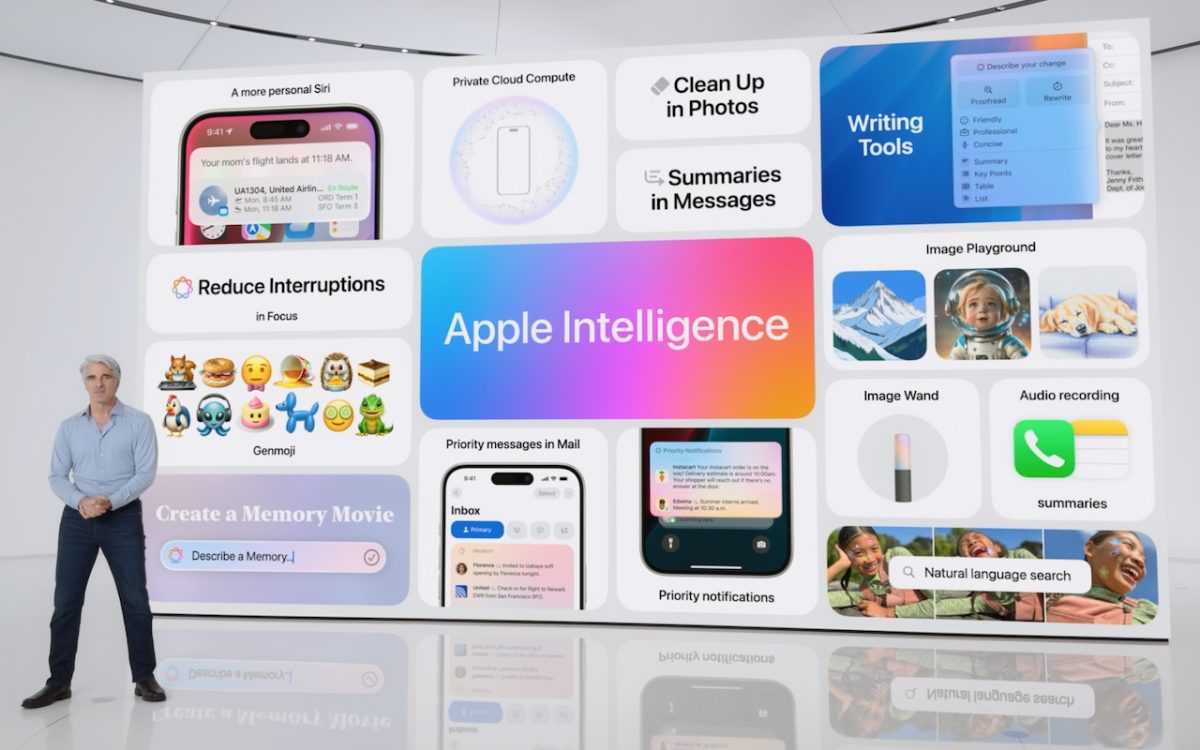
Apple’s Worldwide Developer Conference keynote was a lightning-fast (even in the full 1:44-long video—or try the 3-minute recap) look at what Apple is bringing to the software side of the Apple experience in the next year. Although some past keynotes have introduced hardware like new Macs and the Vision Pro, this year’s keynote stuck to new operating system features before …